

.png?width=300&name=Data%20Resilience%20Isnt%20Backup%20Backup%20Is%20a%20Copy.%20Data%20Resilience%20Is%20a%20Plan.%20(1).png)
Data resilience is your ability to keep working when data is lost, corrupted or unavailable. A backup is only a copy. Resilience is what that copy makes possible: getting back exactly what you lost, keeping records you can trust, reaching critical information during an outage and deciding where your copies live.
Key takeaways
-
A backup is a copy of your data, while data resilience is the ability to keep operating when that data is lost, damaged or out of reach.
-
In Atlassian Cloud and other SaaS tools, the provider protects the platform, but protecting your own data from deletion and corruption is up to you.
-
Regulators and frameworks now treat recovery as a core part of security, which makes data resilience a leadership topic, not only an IT task.
What is data resilience?
Data resilience is an organization's ability to keep operating when data is lost, corrupted or unavailable. It covers how fast and how precisely you can recover, whether your records stay accurate, and whether people can still reach critical information while systems are down.
Think of it as the difference between owning a spare tire and actually finishing your trip.
For most teams, the data that matters lives in SaaS tools: plans in Jira and Confluence, code in Bitbucket, and conversations and customer records in Microsoft 365, Google Workspace, Slack and Salesforce. SaaS data resilience means keeping all of it usable, not just stored.
Data resilience vs backup: why isn't a backup enough on its own?
A backup tells you the data exists somewhere. It does not tell you how long it will take to get it back, whether restoring it will overwrite newer work, or whether the restored records will still show who did what.
|
Backup |
Data resilience |
|
|---|---|---|
|
What it is |
A copy of data at a point in time |
The ability to keep operating when data is lost or unavailable |
|
Main question |
"Do we have a copy?" |
"Can we keep working, and can we prove what happened?" |
|
Recovery |
Often all or nothing |
Precise: only what was lost comes back |
|
Records |
May lose authorship, history or permissions |
Keeps owners, history and permissions intact |
|
During an outage |
Copy may be out of reach |
Critical information stays accessible |
As Deloitte put it in July 2026: "Recovery must be proven, not presumed." A backup you have never restored from, or one that can only roll everything back at once, is a hope rather than a plan. It is also why ransomware detection and response belongs in the same conversation as backup.
Who is responsible for data resilience in Atlassian Cloud?
.png?width=800&height=450&name=A%20backup%20on%20a%20shelf%20isn%E2%80%99t%20protection.%20(1).png)
Atlassian is responsible for the platform. You are responsible for your data. That split is called the shared responsibility model, and most SaaS providers work the same way.
Atlassian's cloud security shared responsibilities guide says customers "manage the data within your accounts," while Atlassian focuses on the security, compliance and reliability of its applications and the infrastructure they run on.
Atlassian does back up its cloud platform. Its security practices page explains that it takes daily backups and keeps them for 30 days. But it is also clear that "we do not use these backups to revert customer-initiated destructive changes," such as deleted issues, projects or sites, and it recommends that customers make regular backups of their own.
So Atlassian cloud data resilience is a shared job. If someone deletes a project or a script corrupts thousands of issues, getting that data back is on you.
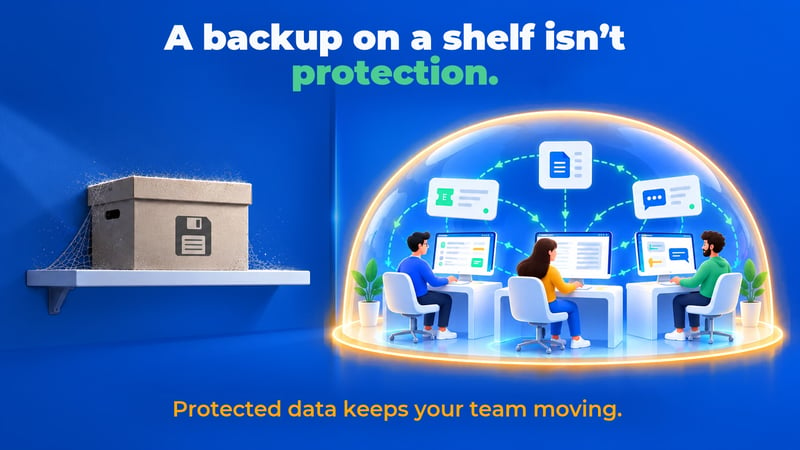
What does data resilience look like in practice?
In practice, data resilience comes down to four qualities: precise recovery, accurate records, access during an outage and control over where your copies live. Each one answers a question your leadership team will eventually ask.
-
Precise recovery. When one project or page is lost, you should be able to bring back just that, without rolling back everyone else's recent work. That is what precise recovery means, and it is the difference between a five-minute fix and a lost day for the whole company.
-
Accurate records. A restored page that shows the backup tool as its author, or that loses its restrictions, creates new problems for audit and privacy. Resilient recovery keeps original owners, history and permissions, which regulators increasingly expect, as our post on the Cyber Resilience Act reporting clock explains.
-
Access during an outage. If Atlassian Cloud is down, can your team still read the runbook in Confluence or see open incidents in Jira? With Revyz, a Spin.AI company, the Export Data (Offline Access) feature keeps a readable copy of your Jira and Confluence content in your own storage for exactly this moment. We compared your options for accessing Jira and Confluence data during an Atlassian outage in an earlier post.
-
Control over where copies live. Some organizations need backups in a specific region or in their own cloud account, often for data residency or internal policy reasons. Being able to choose that location, including your own AWS or Azure storage, and to keep copies immutable so no one can alter them, is part of being resilient.
-
The same thinking applies to the rest of your stack. Your Jira data may be safe, but if your third-party app data is not, part of the record is still missing.
Why is data resilience a leadership topic now?
Because regulators and security frameworks now treat recovery as a core part of security, not an afterthought. That turns data resilience into a question of business risk and governance.
The NIST Cybersecurity Framework 2.0, released in February 2024, lists Recover as one of its six core functions, alongside Govern, Identify, Protect, Detect and Respond. In the EU, DORA asks financial entities to keep documented backup and recovery procedures, and the Cyber Resilience Act now gives software makers a 24-hour clock to report serious security events.
For a CIO or risk leader, a good cyber resilience strategy starts with honest questions. Which SaaS data would stop the business if it disappeared? And could we prove to an auditor exactly what we restored?
How do Revyz and Spin.AI approach data resilience?
Revyz protects Atlassian data, and Spin.AI's SpinOne protects the rest of the SaaS stack. Together they give organizations one consistent approach to SaaS backup and recovery across the tools teams rely on every day.
Beyond Atlassian, SpinOne brings SaaS backup and recovery across Google Workspace, Microsoft 365, Salesforce and Slack, with ransomware protection built in. That covers your critical Salesforce data too.
A backup is where data resilience starts. Being able to keep working is where it ends up.
Ready to go from having a backup to staying operational? See how Revyz and SpinOne protect your SaaS data.