

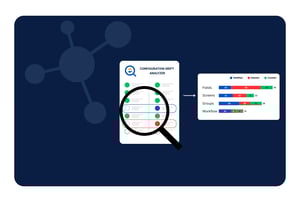
If you are a Jira Administrator, you know the feeling. A project lead pings you at 4:00 PM on a Friday: "The workflow for the Marketing project is broken. We can't transition issues to 'Done'."
You haven’t touched that workflow in months. You check the audit logs, but the trail is cold or vague. Somewhere, somehow, a setting changed. This is not just a glitch; it is Configuration Drift.
In the physical world, things decay due to age. In the digital world of SaaS, this decay is logical. It is the gradual, often undocumented divergence of your system’s state from its intended baseline. For Atlassian administrators, drift is not merely a nuisance, it is a primary vector for security breaches, compliance failures, and operational instability.
This guide explores the necessity of Jira configuration drift detection, why you cannot afford to ignore it, and how tools like Revyz provide the "undo button" you have always wished for.
1. Defining the Phenomenon: What is Configuration Drift?
In the lexicon of modern IT, Configuration Drift is defined as the phenomenon where operating environments deviate from a baseline or standard configuration over time. Unlike the "bit rot" of physical hard drives, drift is driven by human interaction and the natural chaos of collaboration.
It happens when the specific settings that define how your application behaves, permission schemes, workflow logic, automation rules, and field configurations, are altered, intentionally or accidentally, without corresponding documentation.
The "Snowflake" Effect
The most common manifestation of drift is the "Snowflake" effect. Over time, your production environment becomes a unique, unrepeatable instance that exists nowhere else, not in your Sandbox, and certainly not in your documentation.
Drift in Jira typically falls into three dangerous categories:
- Operational Drift (The "Broken Process"): This occurs when ad-hoc changes are made to solve immediate problems. An admin might add a transition to a workflow to unblock a team, intending to document it later, but never does . When you need to monitor Jira workflow changes, this is often the blind spot that causes future process failures.
- Security Drift (The "Silent Risk"): This involves the erosion of protective controls. A user is temporarily added to the "Administrators" group for troubleshooting and never removed (Access Creep), or a permission scheme is altered to make a board "Public" . This drift is invisible until it is exploited or flagged in a failed audit.
- Infrastructure Drift (The "Shadow" Resource): This is the accumulation of "zombie" assets. Custom fields, automation rules, and dashboards are created but never deleted, leading to database bloat and performance degradation .
2. Why is Drift Analysis Critical?
You might think of drift management as a housekeeping task. In reality, it is a strategic capability that supports high-level business objectives, including security posture management, regulatory compliance, and financial optimization.
A. SaaS Security Posture Management (SSPM)
Misconfigurations are a leading cause of data breaches. Jira configuration drift detection acts as a continuous vulnerability scanner for your business logic. If a configuration change weakens encryption settings or exposes an API endpoint, drift analysis triggers an alert, allowing for remediation before the gap is exploited.
B. Audit Readiness (SOC 2 & SOX)
For organizations subject to SOC 2 or SOX, compliance is not a point-in-time event; it is a continuous state. Auditors require evidence that change management procedures are followed 365 days a year .
- SOC 2 CC8.1: Requires that changes are authorized and documented. Drift reports provide the "artifact of evidence" proving every production change matched an approved ticket.
- Reconciliation: To satisfy auditors, you must audit Jira permission changes by comparing the requested change (the Jira ticket) with the executed change (the actual drift), proving that no unauthorized "side" changes occurred.
C. Reducing Mean Time to Resolution (MTTR)
When a SaaS application breaks, the first question is always, "What changed?". Without drift management, answering this requires hours of manual investigation. When you try to troubleshoot Jira configuration errors, the lack of visibility can be paralyzing. With drift analysis, the answer is instant: "User X changed the workflow transition at 2:00 PM". This capability drastically reduces Mean Time to Resolution (MTTR).
3. The "Click-Ops" Trap: Why Native Tools Fail
Why is drift so prevalent in Jira? The primary driver is the User Interface (UI) itself, or what we call "Click-Ops".
SaaS tools are designed for point-and-click administration. It is fast, but it lacks the rigor of code-based changes. There is no "commit message" when you click a checkbox in the Jira UI. Consequently, the why of a configuration is lost the moment it is made.
The Limits of the Native Audit Log
Many admins rely on the native Jira Audit Log to monitor Jira workflow changes, but it is often insufficient for true drift management:
- Lack of Granularity: The log might record that a workflow was updated, but it often fails to record what specifically changed (e.g., "Transition 'Done' was removed"). It lacks the "diff" context needed for analysis.
- Retention Limits: In standard plans, logs are often only retained for a limited time (e.g., 6 months), making long-term historical analysis impossible.
- Blind Spots: Not all events are logged, particularly those triggered by third-party apps or complex automation rules.
4. How Revyz Tames the Chaos
Recognizing the gap between "Click-Ops" culture and the need for rigorous governance, Revyz has emerged as a leading "Configuration Intelligence" solution. Unlike generic DevOps tools, Revyz is purpose-built for the Atlassian ecosystem, focusing on Data Resilience and Integrity.
Here is how Revyz helps admins master configuration drift:
The "Undo" Capability
This is Revyz's "Killer App." Unlike Terraform or Salto, which manage configuration, Revyz manages State. If a drift event deletes a custom field and all the data within it, Revyz can restore the field and the data. Most other tools would only restore the field definition, leaving your data lost at best.
Visual "Side-by-Side" Diff
Revyz offers a UI-centric comparison view that is accessible to all admins, not just those who can read code . You can run a Jira sandbox vs production comparison visually, identifying exactly where your staging environment differs from the live instance. This prevents the "Works on My Machine" syndrome where deployments fail because the destination environment has drifted .
Site Health & Cleanup
Revyz proactively identifies "drift from best practice" by flagging technical debt. It finds "Object types with no objects" or unused schemes, helping you clean up the "shadow resources" that slow down your instance.
Establishing a "Golden Standard"
With Revyz, you can define a standard configuration for projects (e.g., "Standard Software Project Template") and set this as your Golden Baseline . Any project that deviates from this template triggers an alert, ensuring your environment stays standardized.
5. Frequently Asked Questions (Q&A)
Q: What is the most effective way to handle Jira configuration drift detection?
A: Effective Jira configuration drift detection requires moving beyond manual audit log reviews. You should implement automated tools that provide a side-by-side "diff" of your configuration objects. This allows you to see not just that something changed, but exactly what logic was altered, which is essential for maintaining system integrity.
Q: How can I monitor Jira workflow changes without slowing down my team?
A: To monitor Jira workflow changes without creating administrative bottlenecks, you should use a tool that snapshots your configuration daily. Instead of requiring manual documentation for every tweak, use a drift management tool to automatically capture the "before and after" state of workflows. This provides a safety net that allows teams to move fast while retaining full visibility.
Q: Why is it difficult to audit Jira permission changes using native tools?
A: It is difficult to audit Jira permission changes natively because the standard logs often lack context and retention. A change to a shared Permission Scheme can ripple across dozens of projects, but the log may not explicitly list every impacted project . Specialized drift tools trace these dependencies, showing you exactly which projects were exposed by a single permission change.
Q: What is the best practice for a Jira sandbox vs production comparison?
A: The best practice for a Jira sandbox vs production comparison is to perform a differential analysis before any deployment. You should verify that dependencies (like custom fields or statuses) present in the Sandbox also exist in Production. This prevents deployment failures caused by missing objects and ensures that your Sandbox remains a reliable staging ground.
Q: How do I troubleshoot Jira configuration errors that cause data loss?
A: To troubleshoot Jira configuration errors that involve data loss (e.g., a deleted custom field), you need a tool that backs up both configuration and data. Native rollback options are limited. A solution like Revyz allows you to restore the specific configuration object along with its associated issue data, drastically reducing the impact of the error.
Conclusion: Arresting the Decay
Configuration drift is an unavoidable consequence of the flexibility inherent in SaaS applications like Jira. It is not a problem to be "solved" once, but a condition to be continuously managed.
The "Click-Ops" era of making unverified changes in Production is ending. It is being driven to extinction by the rigorous demands of security frameworks like SOC 2 and the operational necessity of reliability.
Your Next Step: Don't wait for the next outage to investigate your drift. Start by auditing your current state. You will likely find significant divergence from your documentation. Evaluate a tool like Revyz to not only detect this drift but to provide the safety net of a one-click rollback. Contact the Revyz team today to get started.
By treating configuration as something to be monitored, versioned, and protected, you can transform your Jira environment from a fragile "snowflake" into a robust, compliant platform.
The 8-Point Drift Audit Checklist
Use this checklist to identify immediate risks and "zombie" configurations in your Jira instance.
- Check Global Permissions Review the "Administrators" and "System Administrators" groups. Are there users who needed temporary access but were never removed (Access Creep)?
- Verify Public Exposure Audit all Permission Schemes for "Group: Anyone" or "Public" visibility to ensure internal data isn't inadvertently exposed to the web.
- Review License Usage Identify active user accounts for employees who have left the organization ("User Drift") to reclaim wasted license costs.
- Identify Duplicate Fields Look for fields with identical names (e.g., "Due Date" vs. "Due-Date") created by manual errors during Sandbox-to-Production moves.
- Hunt for "Zombie" Assets Scan for custom fields, automation rules, and dashboards that have not been used in over 6 months to reduce database bloat.
- Audit App Leftovers If you have uninstalled marketplace apps recently, check for "orphan" configuration data (webhooks, fields) that were left behind.
- Perform a Sandbox vs. Production Comparison Manually "diff" your critical project workflows against your Sandbox environment. Are there transitions present in Sandbox that are missing in Production?
- Verify Documentation Alignment Choose one critical policy (e.g., "All external sharing disabled") and verify if the actual system configuration currently matches that written policy.